

How to Build Your Own Private Local ChatGPT
I've been using local AI as my second brain for the past six months: daily questions, fact-checking, cooking recipes, home repair help, translation — basically anything that pops into my head during the day.
No cloud APIs. No subscription ceilings. Inference stays on hardware I own. That is what I mean by a private local ChatGPT — and this post is how I built mine.
Why go private and local?
Cloud models like GPT and Claude are powerful and relatively cheap. So why bother? For me it comes down to three reasons.
1. Privacy
Cloud providers don't just "process" your prompts and forget them. They can read, classify, and investigate them at scale — and then turn those chats into public case studies.
Anthropic's September 2026 threat intelligence report, Detecting and countering misuse of AI, is a concrete example. The company reconstructed months of real Claude usage across cyber ops, influence campaigns, surveillance tooling, scams, and more — down to workflows, tooling choices, and how actors prompted the model. Fighting misuse may be a reasonable goal. The privacy implication is still blunt: if your assistant lives in the cloud, your conversations are visible to the people and systems on the other end of the API.
I don't want a third party knowing what I'm working on or thinking about every day. With a local model I paste text that contains private keys, API tokens, and internal code snippets without a second thought — because nothing leaves my machine unless I choose to send it.
2. Cost and quota limits
Even "free" tiers have strict rate limits. I didn't want to keep paying $20/mo just to hit a ceiling, or constantly watch free credits burn down. Locally I can fire off as many follow-ups, silly experiments, or half-baked questions as I want — no token cap, no wallet anxiety.
3. Local models are finally good enough
Everyday tasks no longer need a frontier cloud model. Once inference quality crossed that threshold, cloud dependency stopped making sense for most of my workflows.
Honest advice: if your machine has more than 32GB of RAM and you're not running extremely heavy workloads, seriously consider stopping paid cloud API subscriptions.
Hardware and model
My setup is a MacBook Pro M4 Pro with 48GB of unified memory, running models through LM Studio or oMLX.
Two months ago I was on Qwen 3.6. Now I use ornith-1.0-35b@4bit (based on Qwen 3.6), and it's better for daily use. For models that fit in roughly 20GB of RAM, these two are the ones I'd actually recommend — don't bother cycling through everything else.
I've also been using Pi and OpenCode with ornith-1.0-35b for light daily coding for the past two weeks. It just works. For everyday assistance, this class of model is good enough.
Why I don't run the model on the phone
I tried that first. Smaller models on an iPhone — Google's Gemma 4 (2B/4B) and the Qwen 3.5 series (0.8B / 2B / 4B / 9B) — fit in the 12GB RAM of a high-end phone on paper. In practice they were a poor daily driver:
- Thermal throttling. The phone got uncomfortably hot and drained the battery fast.
- Speed vs. quality. Throughput was fine (about 30–40 tok/s), but output quality was unreliable. Hallucinations and coding mistakes that a 35B model handles instantly turned into wasted time.
On-device small models are demos. If you use them every day for real work, you're fighting the tool. So I keep inference on the Mac and treat the phone as a client only.
That choice creates the next problem: how do you reach the Mac model when you're away from home?
Reach your Mac model from your phone over the public internet
A home Mac sits behind NAT with no public IP, so a phone on cellular can't
reach localhost — and you shouldn't port-forward a raw LLM API to the open
internet anyway.
I use FRP (Fast Reverse Proxy) as a reverse tunnel: frps on a cheap
VPS with a public IP, frpc on the Mac dialing out. No inbound ports on the
home router. The VPS is only a pipe; inference still runs on the Mac.
iPhone (chat client)
    →  http(s)://your-vps:18080
         →  frps  (VPS)
              →  frpc  (Mac, outbound)
                   →  LM Studio / oMLX  (e.g. 127.0.0.1:1234)
Minimal frps.toml on the VPS:
bindPort = 7000
auth.token = "replace-with-a-long-random-secret"
Minimal frpc.toml on the Mac (same token):
serverAddr = "your.vps.ip.or.domain"
serverPort = 7000
auth.token = "replace-with-a-long-random-secret"

[[proxies]]
name = "llm-api"
type = "tcp"
localIP = "127.0.0.1"
localPort = 1234      # LM Studio / oMLX OpenAI-compatible port
remotePort = 18080    # public port on the VPS
Keep frps running on the VPS; run frpc whenever the Mac is awake (login
item helps). On the phone, the base URL is:
http://your.vps.ip.or.domain:18080/v1
…plus the model id LM Studio is serving (e.g. ornith-1.0-35b@4bit).
Two security details that matter in practice:
- FRP's
auth.tokenonly authenticatesfrpc↔frps. It does not stop a stranger who discovers:18080from hitting your LLM API. Put TLS + HTTP auth (or an allowlist) in front with Caddy/Nginx on the VPS — and never leave the API wide open. - Expose one proxy to the local API port. Nothing else.
Why FRP instead of Cloudflare Tunnel
I tried Cloudflare Tunnel (cloudflared) first because it's free. Fine for
normal websites; too flaky for high-throughput LLM streaming — stalls and
dropped generations on long 35B outputs. FRP on a small VPS has been stable
enough for daily use.
Privacy boundary
Prompts traverse the VPS, so pick a host you trust and lock the public side down. What you are not doing is handing chats to a cloud model vendor for training, logging, and quota metering. Weights and tokens stay on your Mac.
The mobile client
On the Mac, LM Studio and Chatbox are fine. On iOS I tried OpenCat, LM Mini, BonsAI, Pal, ChatBox, and others. None of them matched what I actually needed:
- Fully customizable
- Connect to and save any API provider / model
- Lightweight, clean UI — no bloat
- Custom prompt templates and adjustable sampling parameters
- MCP tool integration
After weeks of testing, BayesChat fit this setup well: it talks cleanly to a bridged local 35B endpoint and stays out of the way.
What I care about day to day:
- BYOK / multi-provider — point it at any OpenAI-compatible endpoint, including the FRP URL that tunnels back to LM Studio on my Mac. No middleman account sitting between me and the model.
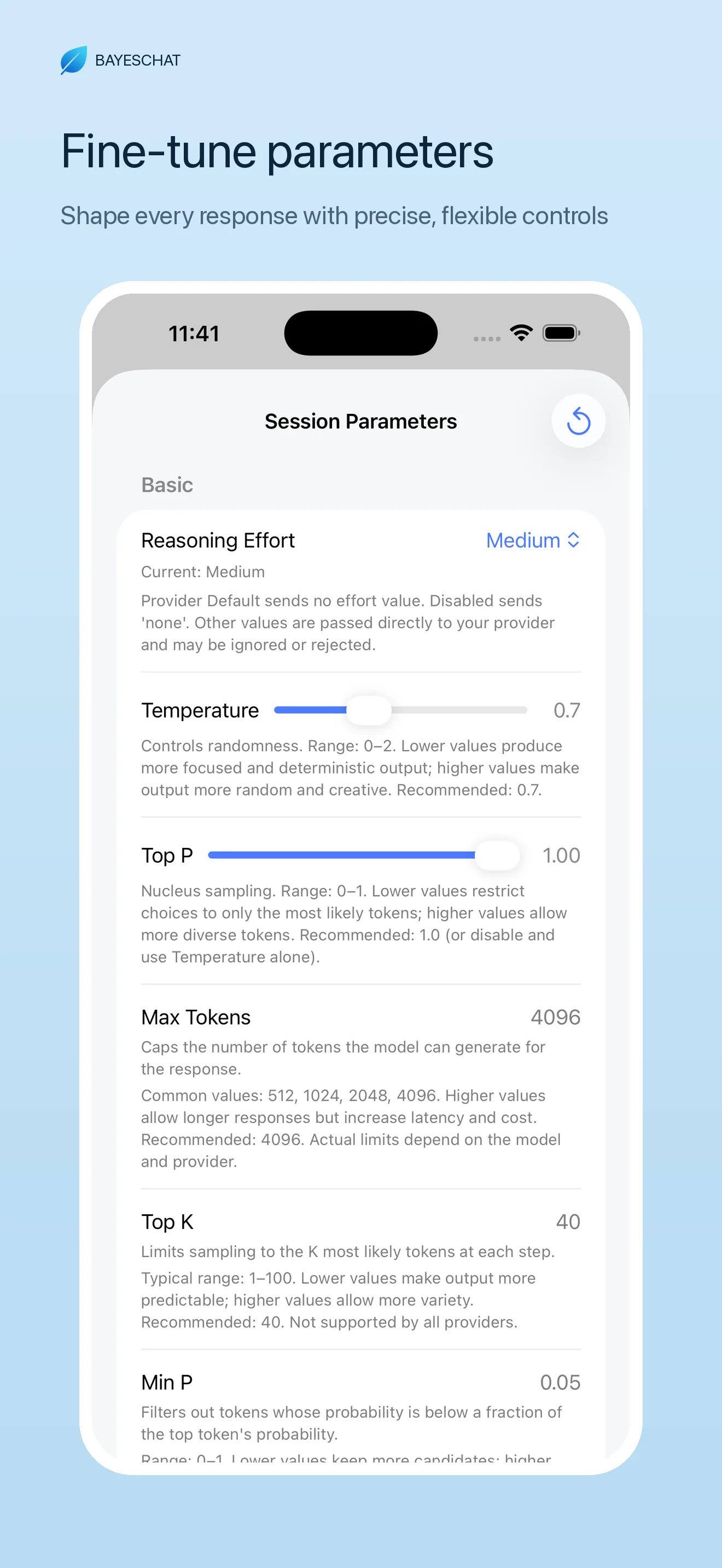
- Fine-tuned sampling — temperature, top-p, and the rest are adjustable when a preset needs a different feel.
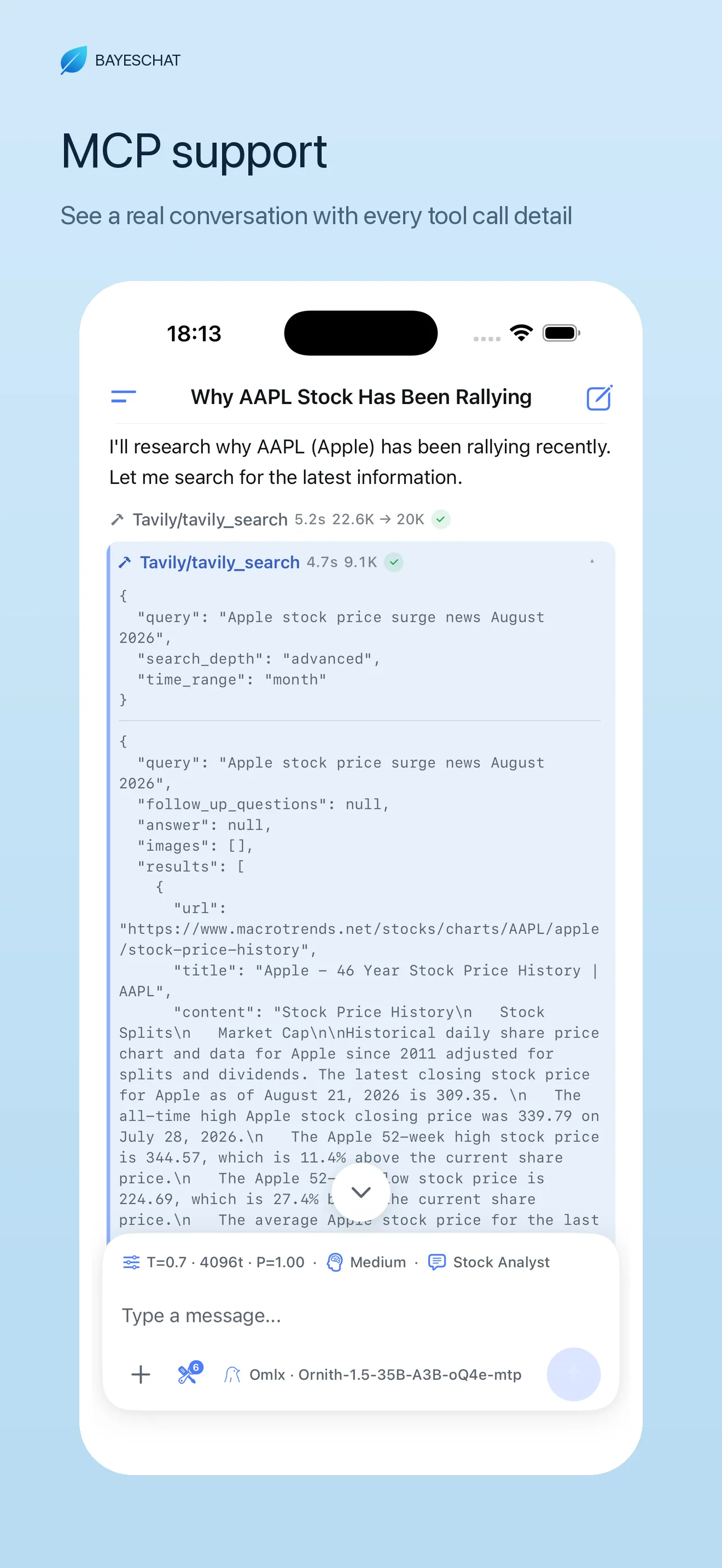
- MCP tools — when a chat should do something beyond talk, tools plug in through the Model Context Protocol instead of living as a dead-end text box.
- Streaming + Markdown / LaTeX — long local generations stay readable on a phone screen.
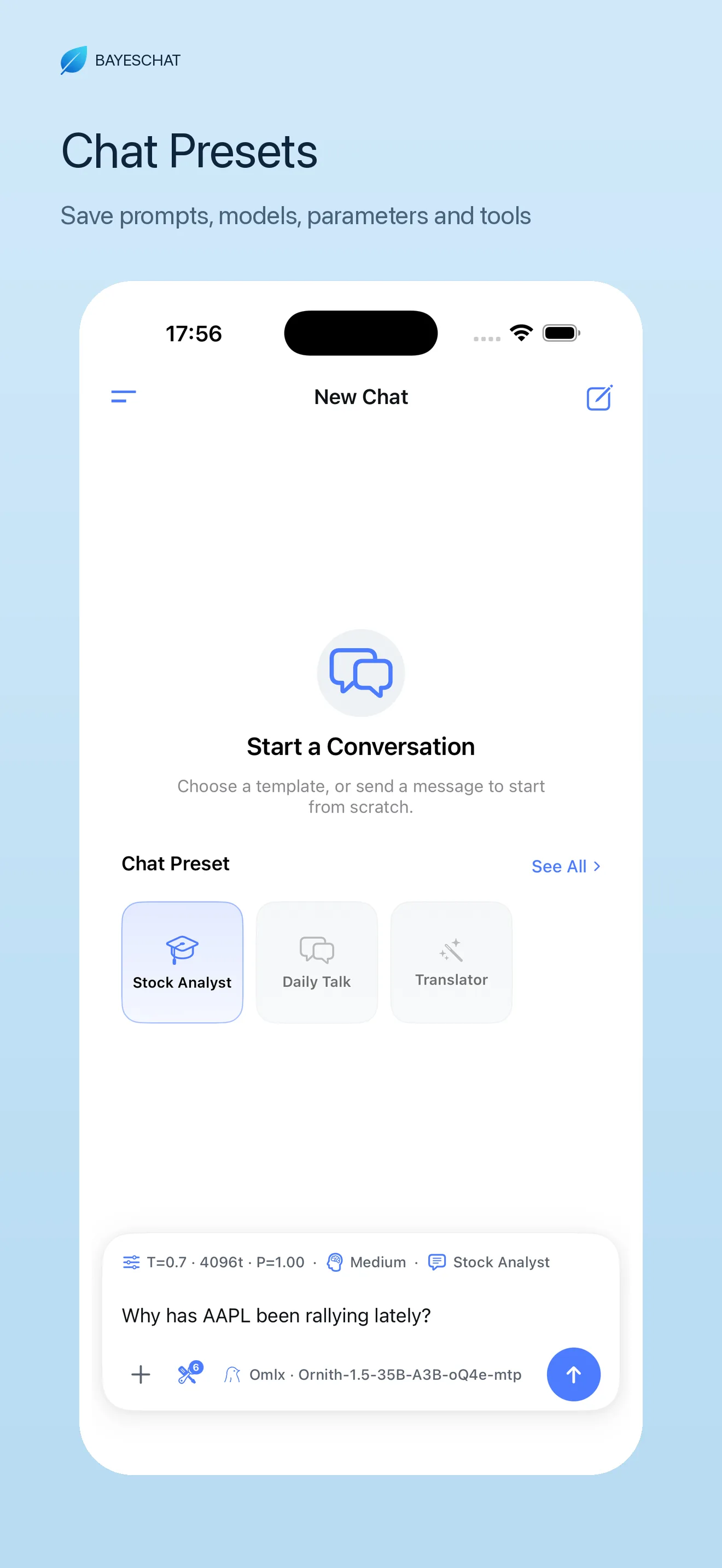
The feature that actually changed my daily flow is Chat Presets.
Setup is straightforward: add a custom OpenAI-compatible provider, paste the public base URL from FRP, pick the model name your Mac is serving, save a preset, and go. From there it behaves like any other chat — except the brain is at home.
Once the FRP base URL and model id are saved, I don't want to rebuild the rest every time I open the app — system prompt, sampling knobs, which MCP tools are on. Chat Presets bundle all of that into one profile. I keep separate presets for everyday Q&A, light coding, and translation, each wired to the same local 35B endpoint but with different prompts and parameters. One tap switches the whole stack. That is what makes "phone client + home model" feel like a real assistant instead of a settings form I have to fill in on the subway.
The full stack
Putting it together:
MacBook Pro (48GB) + LM Studio / oMLX + ornith-1.0-35b or qwen3.6-35b-a3b
(4-bit) + FRP tunnel via a VPS + BayesChat on iPhone.
Inference stays local. Chats stay private. There is no cloud quota to manage.
If you're assembling something similar — or you've found a better tunnel or model for daily use — drop a note. I'm always happy to compare notes with this community.